Enrolling in Blackboard Professional Development for Faculty and Staff
Account Creation:
Click here to access the Blackboard Professional Development website.
Click “Register/Log In”.

Click “Sign up”.
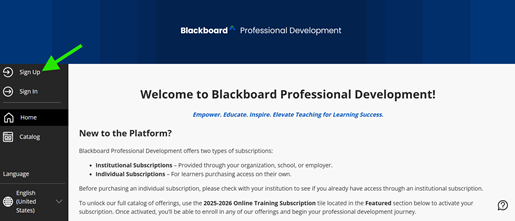
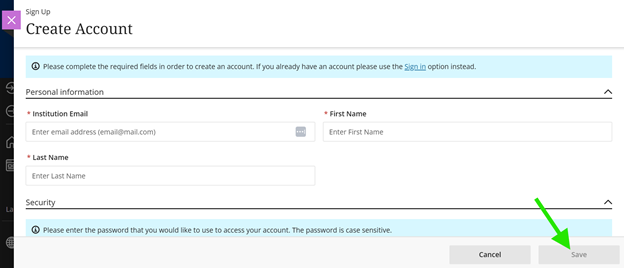
A new window will pop up. Enter your information (be sure to use your Pfeiffer email address!!). Click “Save” when you have completed the form.
Check your email for an access code sent to the address you entered.
Enter this code in the dialogue box that appears and select Validate.
After your account is successfully created, select the Sign In button.
Enrollment Process:
Click here to access the Blackboard Professional Development website.
Click “Register/Log In”.

Click “Sign In”.
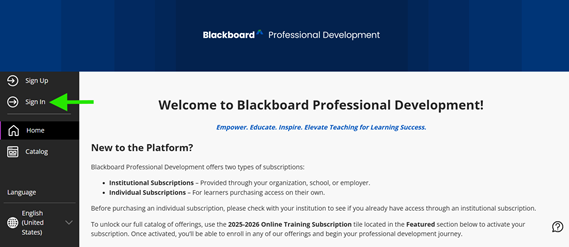
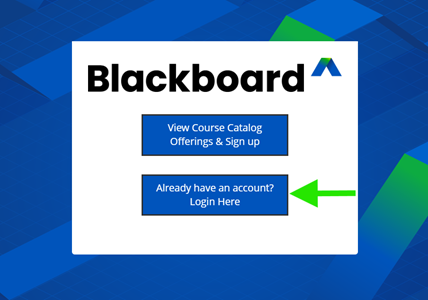
Select “Already Have an Account? Login Here”. Use the credentials you created during account creation or your existing account to log in.
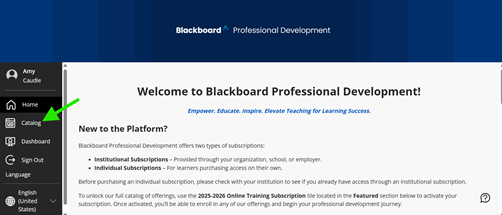
From the menu on the left of the screen, select “Catalog”.
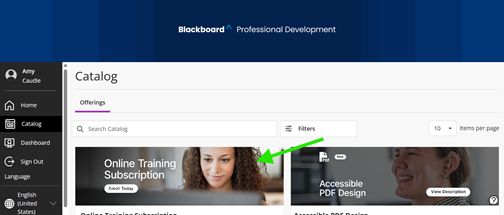
Select “Online Training Subscription”.
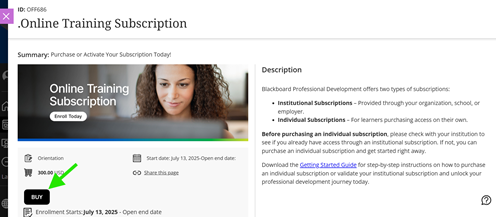
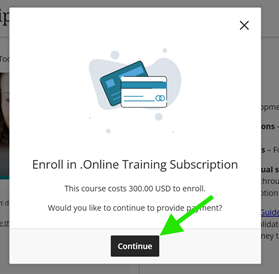
Click “Buy”. Then another window will pop up, click “Continue”. It will not cost $300; you will enter a code in the next step.
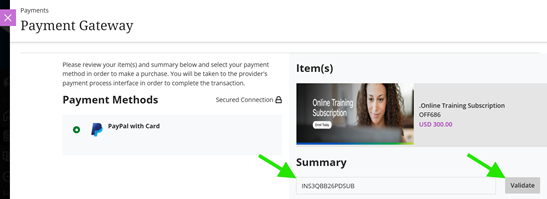
Enter the payment code and click “Validate”. To access the payment code use the following: Blackboard Professional Development Access Code.
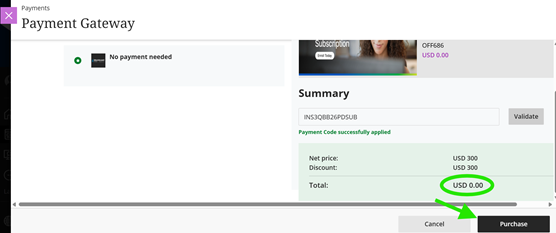
The price should now be $0. Click “Purchase”.
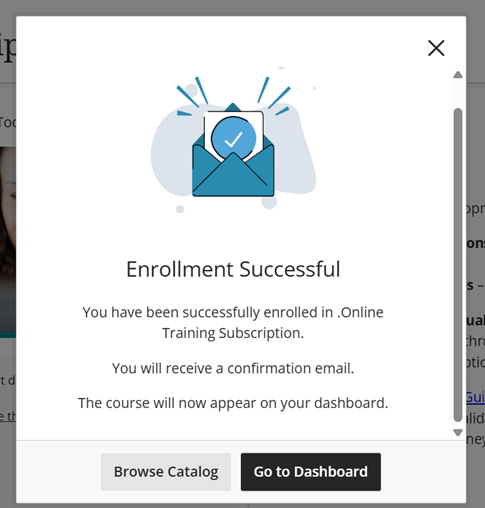
Another window should pop up, and then you should be taken to a confirmation page. You can close this window using the “X”, “Browse Catalog”, or “Go to Dashboard”.